v0.1.0 · alpha
Metadata and column-level lineage, on your own infrastructure.
MetaxisData is a self-hosted data governance and metadata platform. It connects to MySQL/TiDB and PostgreSQL instances, syncs their schemas into a searchable metadata registry, and derives table- and column-level lineage from SQL definitions and ingested OpenLineage events.
- Self-hosted
- One Go binary
- PostgreSQL only
- OpenLineage native
Self-hosted data governance and metadata platform
The answers already exist. They are just scattered.
Data estates grow faster than the documentation that describes them.
-
Schemas live in many places
Every instance has its own console, its own naming, its own history. Nobody can search across them.
-
Lineage is asked, not answered
“Where does this column come from?” is a conversation with whoever wrote the pipeline, and that knowledge leaves with them.
-
Definitions drift
Two teams compute the same metric differently because nothing records what a column actually meant last quarter.
What it does
Six capabilities, one deployment, one database.
-
Metadata registry
Sync the schemas of your instances into one searchable registry. Every table and column carries its DDL and a history of what changed.
-
Table and column lineage
Lineage is analyzed from view, materialized-view, and manual SQL, precise down to the column. Expand the graph by depth, or follow a single column's trail.
-
OpenLineage
Ingest run events, map namespaces, and issue API keys. Browse jobs, datasets, and events, with links back to Airflow.
-
SQL explanation
LLM-assisted explanation of a SQL statement, scoped to the metadata you select, with caching.
-
Access control and audit
Users, groups, named roles, and an access-policy editor. Audited operations are recorded in an audit log that is kept forever.
-
Agent integration
The mxd CLI gives an agent one JSON document per command, stable exit codes, and device login. With MCP enabled, the registry is also available as read-only tools.
Lineage
Precise down to the column
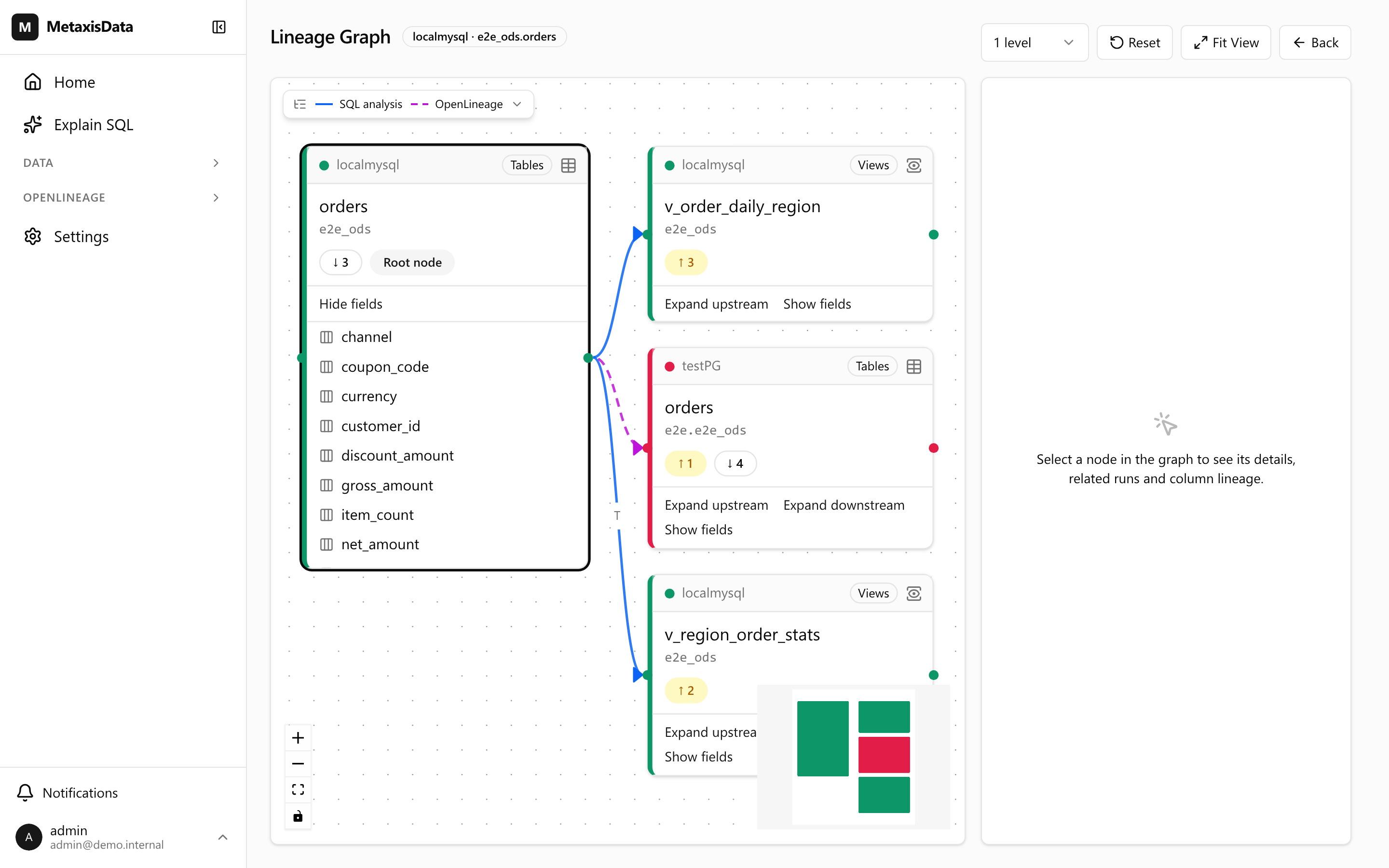
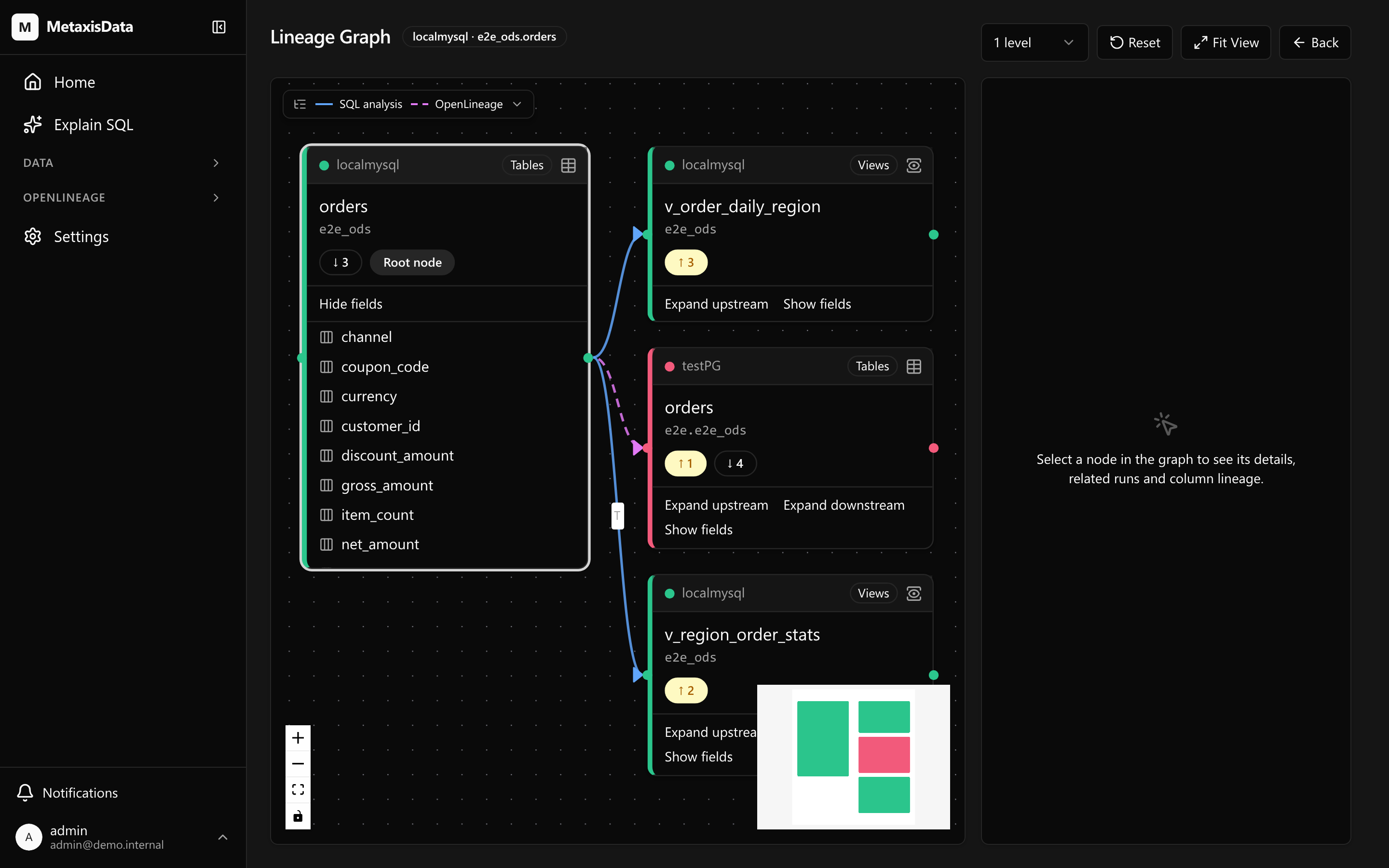
A table graph tells you two systems are related. It does not tell you which column arrives where, or which of the two writers put it there.
-
Two sources, one graph
Edges analyzed from view definitions, materialized views and manual SQL are drawn solid; edges ingested from OpenLineage events are dashed. An object written by both is drawn a third way, so a node's scope and an edge's origin never read as the same thing.
-
Instances keep their colour
Objects in different instances can share a database, schema and table name. Each instance takes one accent from a palette that clears the WCAG graphics floor against the canvas, and the colour is a backup — line style carries the same information, so the graph stays readable in greyscale.
-
Follow one column
Select a field to see its upstream and downstream trail, the relations it passes through, and the OpenLineage runs that touched it. Temporary relations exist only inside a statement and are hidden by default, with a count reported when that would otherwise leave an empty result.
OpenLineage
Your scheduler already knows. Let it say so.
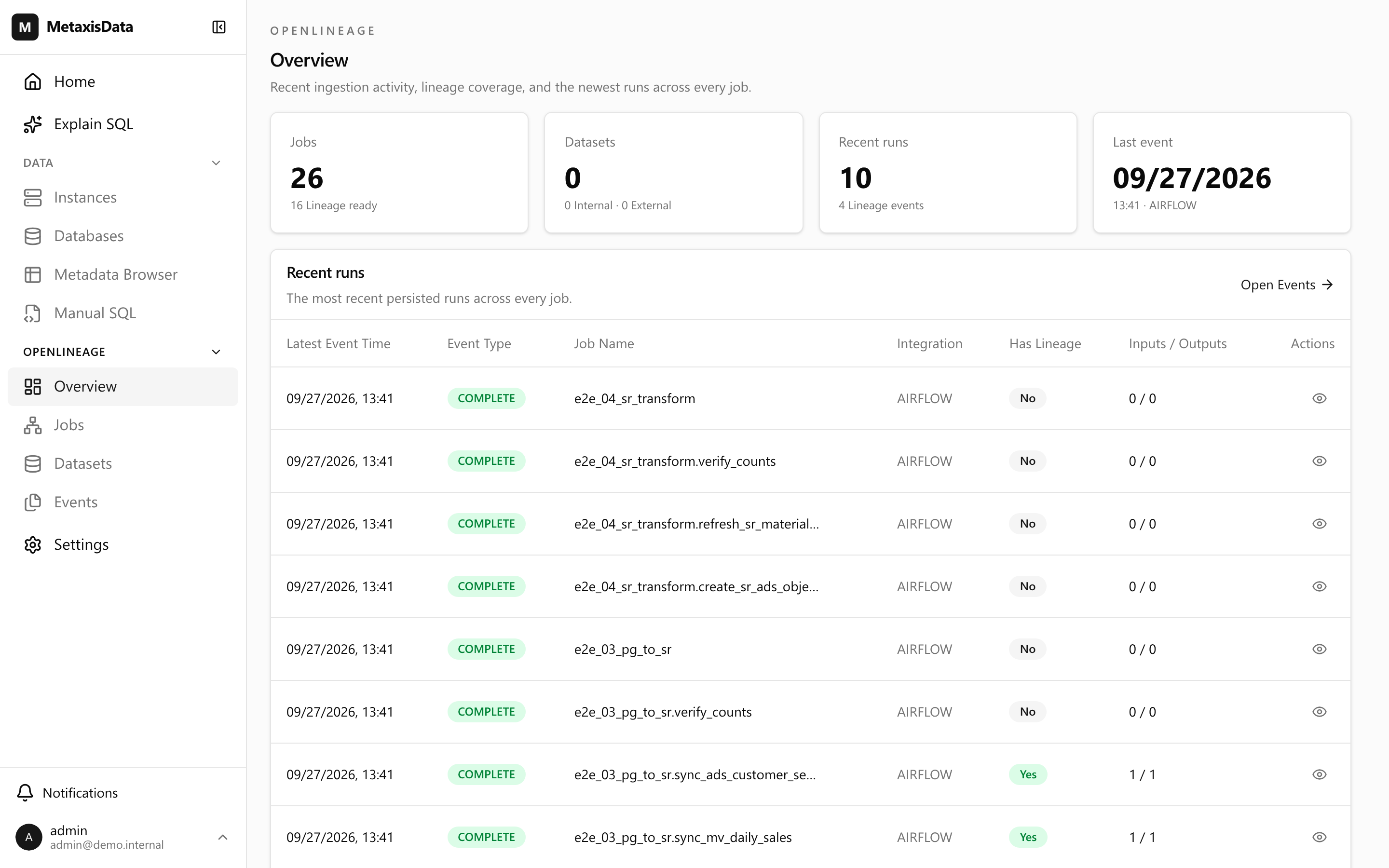
Ingest run events, map namespaces, and issue API keys. Browse jobs, datasets, and events, with links back to Airflow.
- 1
1. Point your producer at the endpoint
Settings → OpenLineage shows the ingestion endpoint and a ready-made curl example, plus the API keys that authenticate it.
- 2
2. Map namespaces
A namespace the producer reports is matched to one of your instances, by host and port or by an explicit mapping you record.
- 3
3. Read the run
Job, dataset and event views keep the raw JSON and its facets, so a claim can always be traced back to the event that made it.
Why the facet is not trusted
The producer's column facet is not trusted. An Airflow SQL operator attaches one column facet per task — a run-level guess, not a statement's answer: it merges every statement into one input set and attributes an output column by finding a same-named column anywhere in it. That reads as an answer, and it can be wrong. So when an event carries SQL of its own, that SQL is run through the same statement-scoped analyzers that back view definitions and manual SQL. A producer that states column lineage without SQL keeps its own facet; a run that cannot be analyzed keeps its table-level edges and reports the gap.
Metadata registry
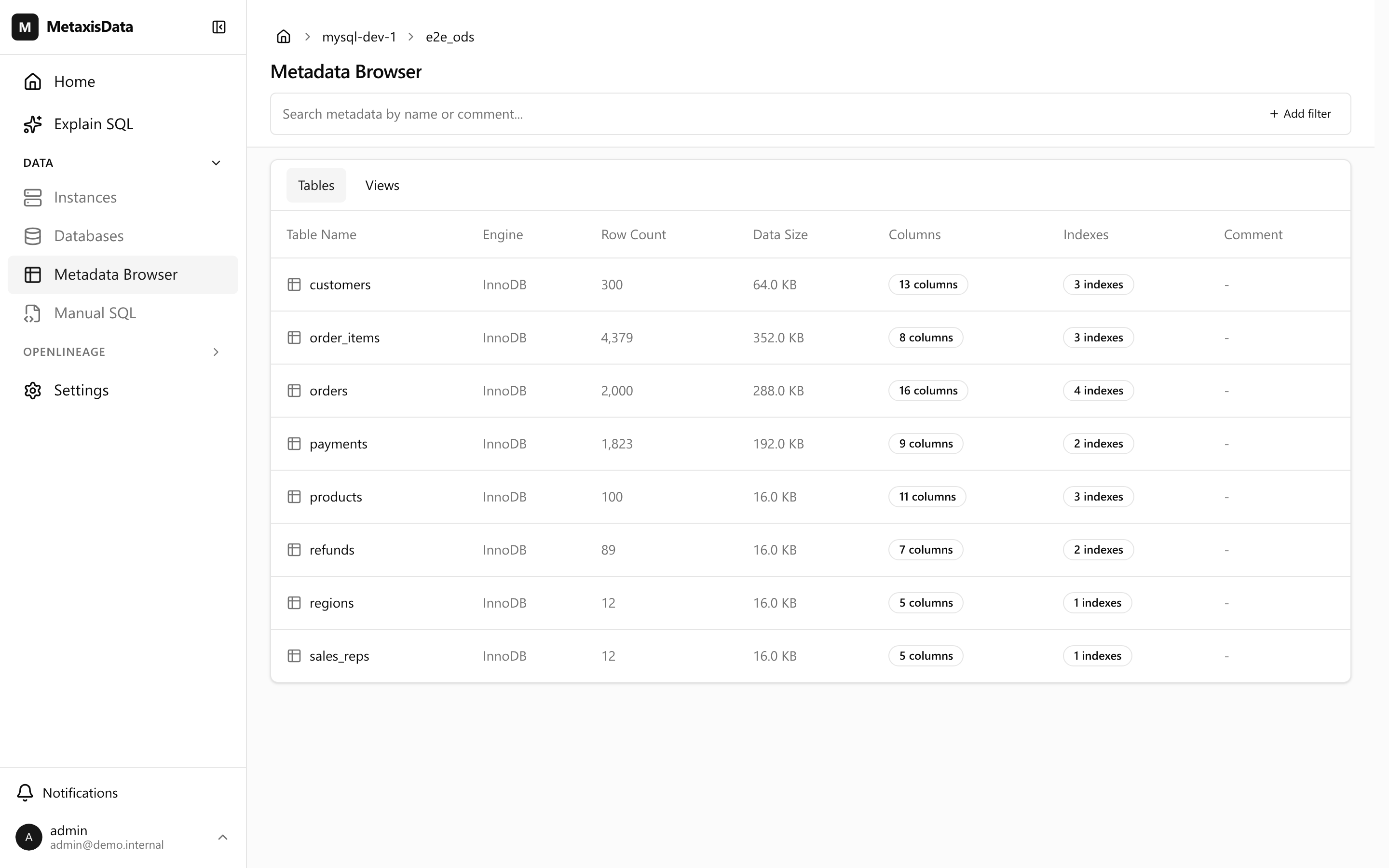
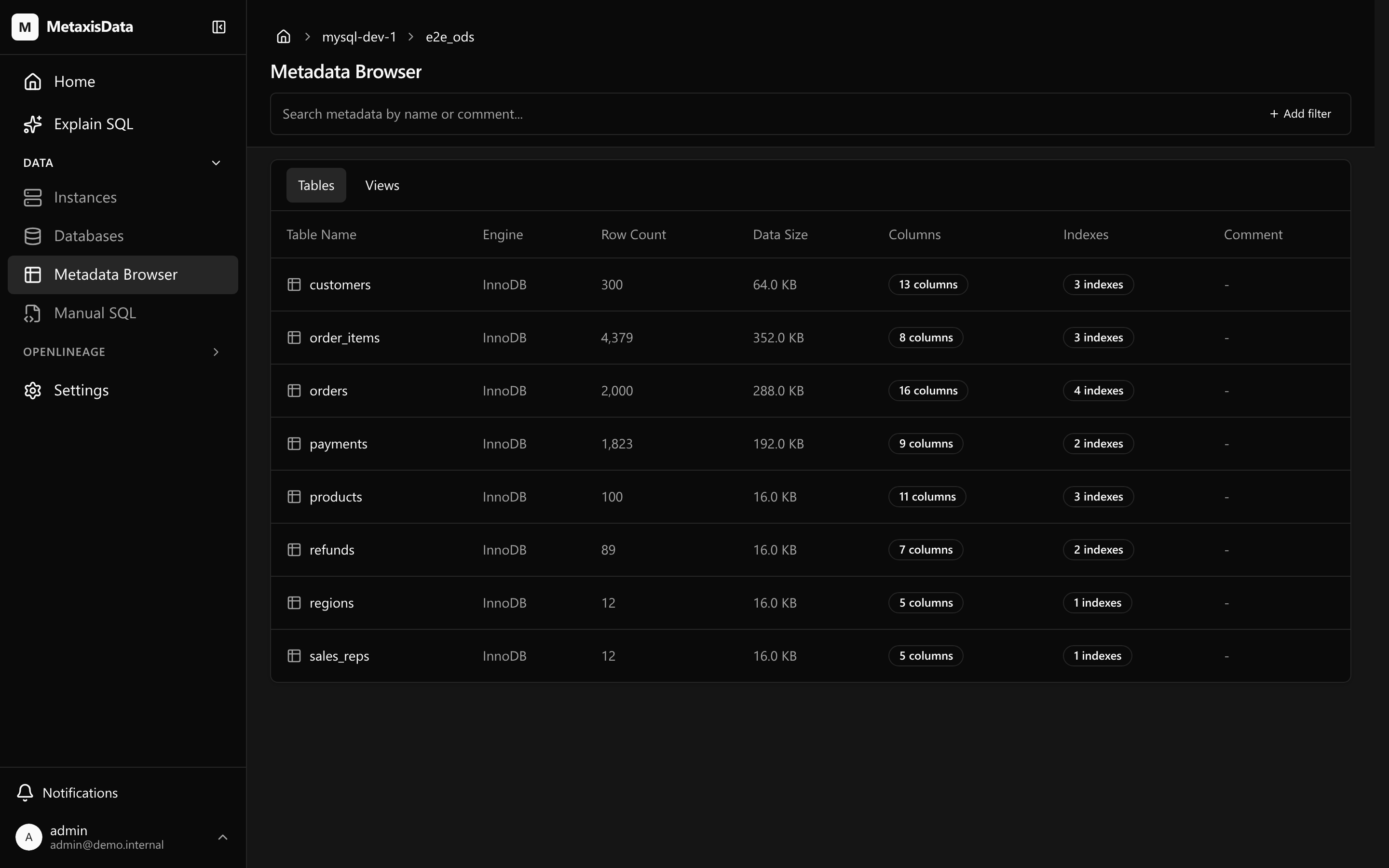
Every table, with its DDL and its history
Sync the schemas of your instances into one searchable registry. Every table and column carries its DDL and a history of what changed.
-
Browse the way you think
Instance → database → schema → table → column. The table list carries row counts, data size, columns and indexes, so a first look already answers the shape questions.
-
Search by name or comment
Find a table when you know what it is called, or when you only know what it is for.
-
Nothing disappears quietly
Schema sync is log-only about deletion by design: it records what it would remove rather than dropping registry entries, and the history of an object is kept.
SQL explanation
An explanation scoped to your metadata
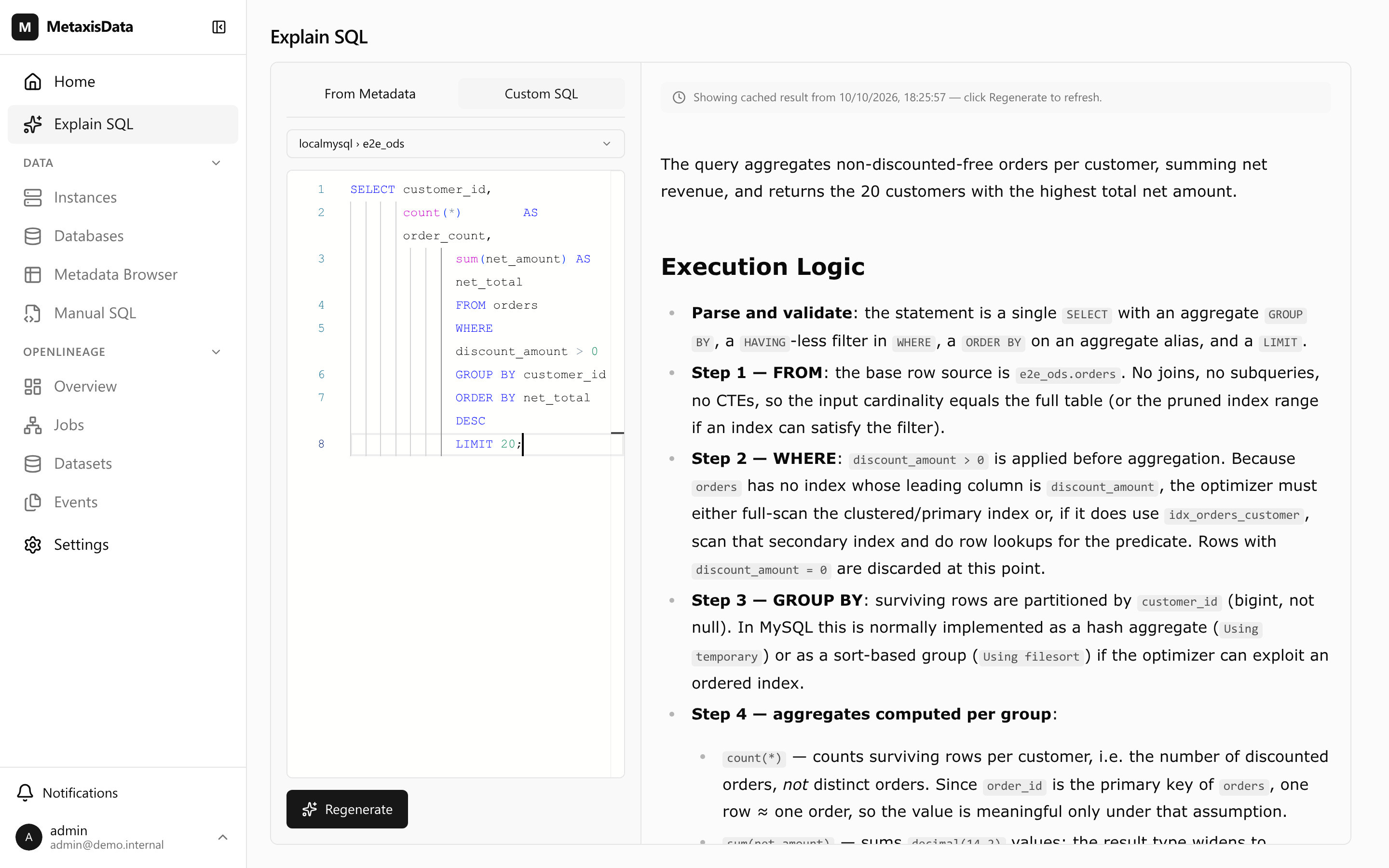
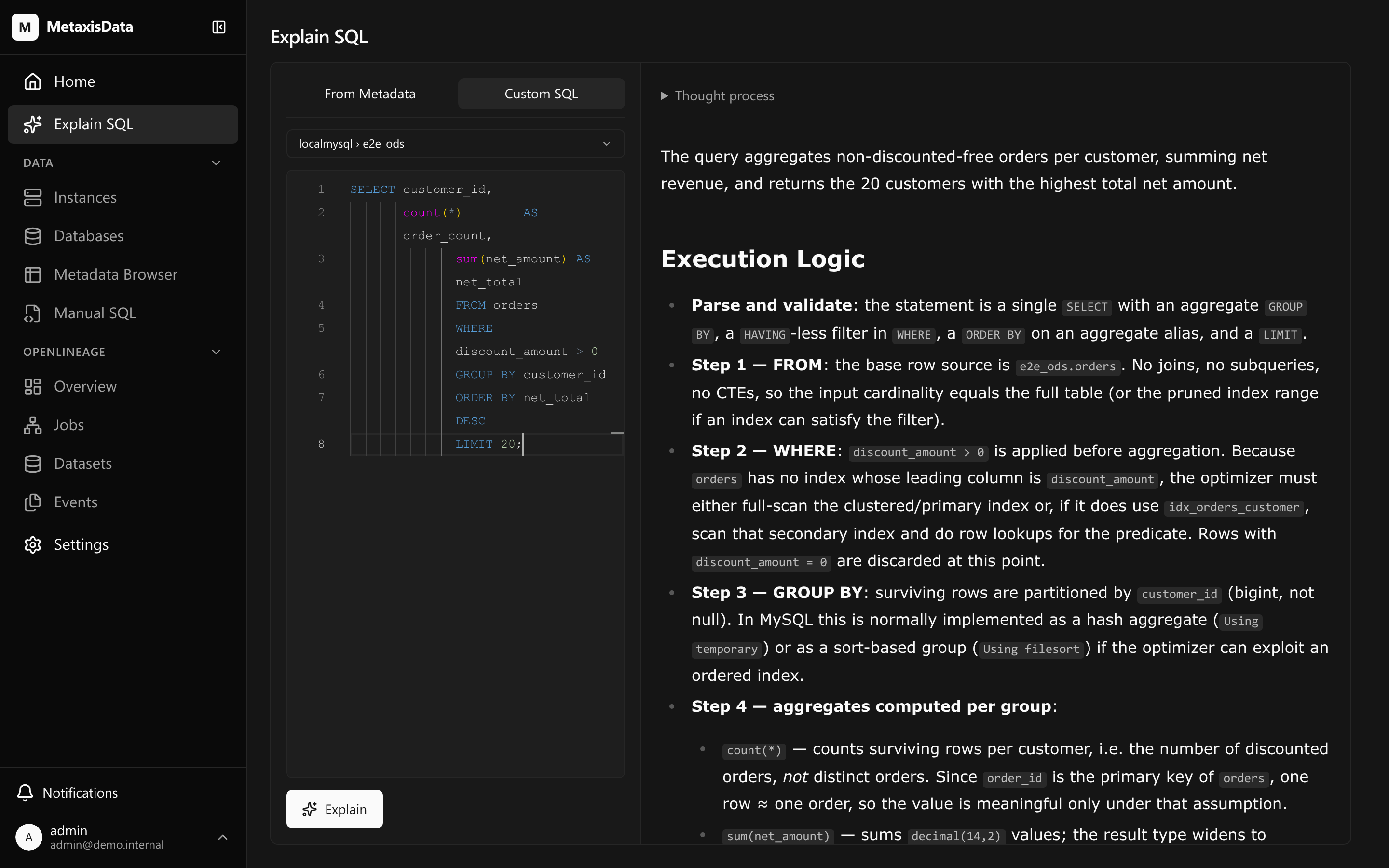
LLM-assisted explanation of a SQL statement, scoped to the metadata you select, with caching.
-
Scoped, not free-range
The model sees the statement and the metadata you selected — not your whole warehouse. You choose the tables and columns it may reason about.
-
Answered in your language
The explanation comes back in the language the interface is in.
-
Cached
The same statement over the same selection is answered from cache rather than paid for twice.
SELECT region, sum(net_amount) AS revenueFROM dwd_order_fact fJOIN dim_region r ON r.id = f.region_idWHERE f.loaded_at >= date '2026-01-01'GROUP BY region;The statement and the metadata you select are the model's whole input.
Access control and audit
Who may do what, and who did it
Users, groups, named roles, and an access-policy editor. Audited operations are recorded in an audit log that is kept forever.
Roles you define
A permission catalog, predefined and custom roles, and one workspace access policy.
A ledger, not a log file
The audit log keeps audited operations forever. Nothing prunes it.
Reads are recorded too
Every MCP tool call is audited, reads included: it is a remote entry point a model drives.
Authorization is workspace-scoped: every member reads everything, and writes need the workspace administrator — built for a single-tenant, self-hosted deployment.
Agent integration
Built for a program to call
The mxd CLI gives an agent one JSON document per command, stable exit codes, and device login. With MCP enabled, the registry is also available as read-only tools behind an OAuth 2.1 authorization server.
mxd — one JSON document per command
Every command writes exactly one JSON document to stdout; progress, warnings and errors go to stderr. Failures carry a stable code and a stable exit status, so a caller decides what to do next without parsing prose. mxd skill install drops the matching instructions where an agent runtime finds them.
$ mxd lineage sql --file etl.sql --depth 2{ "results": [ { "scopeName": "dev", "scopeGuid": "1;shop", "relations": [ {"sourceGuid": "1;shop;;orders", "sourceColumn": "amount", "targetGuid": "1;shop;;order_daily", "targetColumn": "amount", "isTemp": false} ], "warnings": [] } ], "warnings": []}MCP — the registry as read-only tools
Enable the endpoint in Settings → General (it needs the workspace external URL). An MCP client is told where to authorize, registers itself, and runs the PKCE flow; the decision is recorded on a consent page. Nothing here writes.
{ "mcpServers": { "metaxisdata": { "type": "http", "url": "https://mx.example.com/mcp" } }}Architecture
One binary, one dependency
A deployment is a single Go binary backed by PostgreSQL.
One port, both halves
The Go binary serves the ConnectRPC API and the frontend — a Vue 3 single-page application embedded in the image — on port 8083. When MCP is enabled, that endpoint is served on the same port.
PostgreSQL is the only external dependency
The schema migrates itself on startup, so a fresh database needs nothing but a connection URL.
Background runners do the work
They sync schemas, analyze and validate lineage, and run maintenance tasks. Schema sync and lineage analysis start with the server, not on a slow timer.
- Port
- 8083
- Dependencies
- 1
- Build
- v0.1.0
Quick start
Five minutes to the first synced schema
You need Docker and a PostgreSQL database the container can reach. Images are published to GHCR for linux/amd64 and linux/arm64.
- 1
Create the first account
It becomes the workspace administrator.
- 2
Add an instance
Point it at a MySQL/TiDB or PostgreSQL instance the server can reach.
- 3
Sync its schema
Tables, columns, DDL and history land in the registry; lineage is analyzed from what it finds.
Questions that come up first
Is this ready for production?
It is at v0.1.0 alpha. The core surface is implemented and tested, and the release binaries and images are published — but treat it as alpha software and read the deploy guide before you rely on it.
Who can see what?
Authorization is workspace-scoped: every member reads everything, and writes need the workspace administrator. That suits a single-tenant, self-hosted deployment; it is not a multi-tenant isolation model.
What does it need to run?
One Go binary and a PostgreSQL database it can reach. No message queue, no object store, no search cluster.
Where does my data go?
Nowhere. Metadata and lineage stay in your PostgreSQL. The one outbound call the product can make is the LLM provider you configure for SQL explanation, and it sees only the statement and the metadata you selected.
How is this licensed?
Apache-2.0. Self-host it, modify it, run it commercially.
Point it at an instance and see what it finds
The first sync takes minutes. Everything after that is reading.